

 Commercial
Project Snapshot
- Location: Fort Wayne, IN (Touring Installation)
- Home Type: Mobile recording and production studio
- Client Goal: Create a rolling tribute to the passionate communities behind the Sweetwater and Airstream brands
- Studio Design: Russ Berger Design Group
- Project Partners: Sweetwater and Airstream
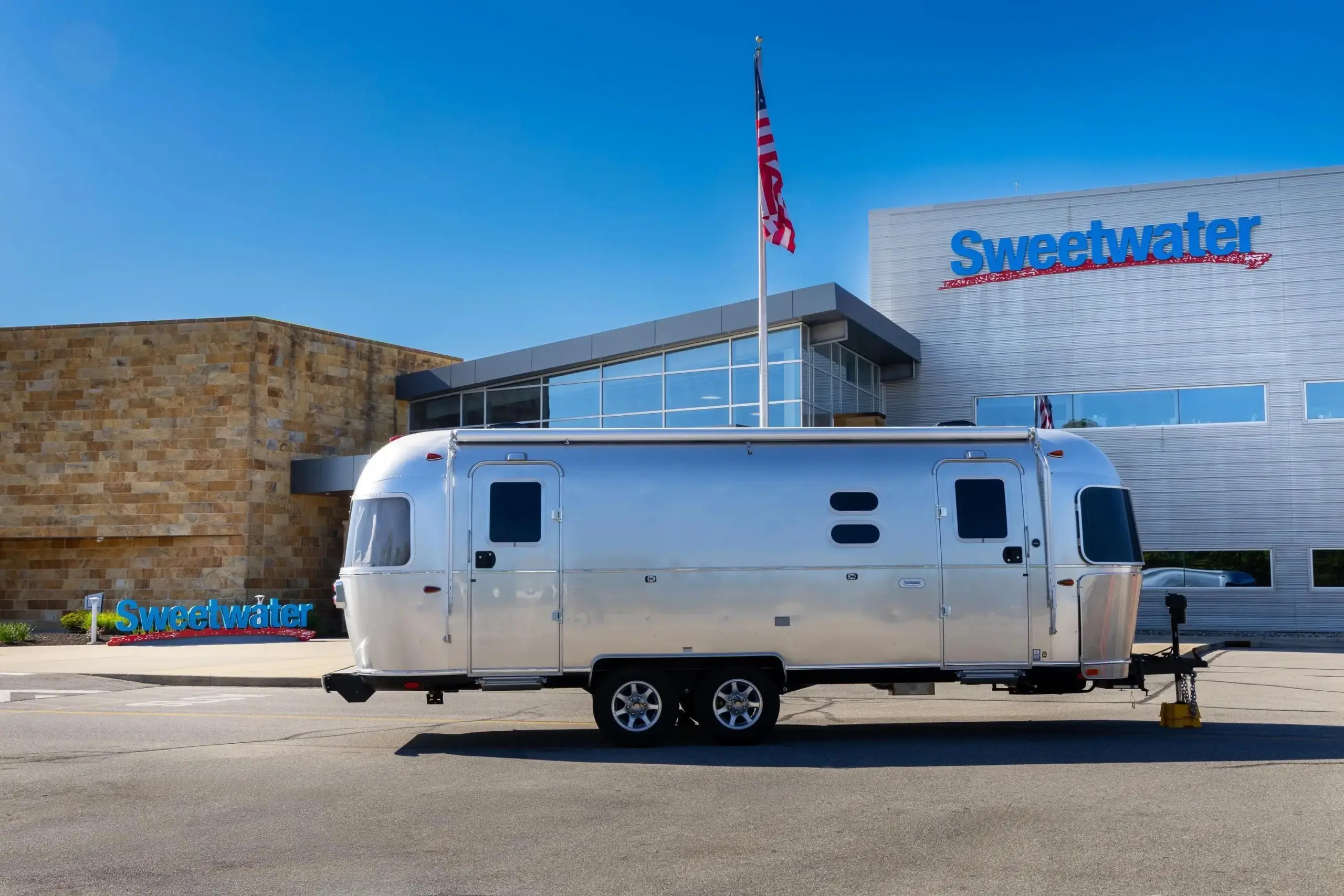
When it’s time to mix inside Sweetwater’s Airstream, the air conditioner can go outside. The removable unit can operate separately from the trailer, keeping its noise and vibration away from the control room. It’s a small detail that gets at the challenge of building a Dolby Atmos studio inside a 25-foot travel trailer. Every piece of equipment needs a place, and even the equipment that keeps the room comfortable can affect what an engineer hears.
Sweetwater and Airstream unveiled the studio in May 2026, after a year of development with Russ Berger Design Group. The brief brought Sweetwater back to its beginnings. In 1979, founder Chuck Surack used a Volkswagen bus to record bands, choirs, and church services around Fort Wayne, Indiana. The new trailer takes that mobile recording idea on a national tour, with a room where visitors can hear how a mix comes together in Atmos.
“The Sweetwater Airstream is a modern twist on our roots,” said Steve Dwyer, vice president of brand marketing at Sweetwater, in the October tour announcement. The original bus carried recording gear to the performance. The Airstream also brings the room where the recording can be played back and mixed. At a school or trade show, that gives Sweetwater a place to demonstrate the production process with the same system its engineers use.
Fitting a Control Room Into a Trailer
Russ Berger Design Group, which also designed Sweetwater’s headquarters studios, led the conversion of the travel trailer. Its layout borrows from a fixed studio. The equipment room is accessible through a hatch, the console sits in a dedicated control room, and a lounge still has a dinette. A treated area for podcasting and streaming gives spoken-word and video production a place in the trailer alongside music work.
“Airstream has a deep connection to music and the recording industry, with musicians, producers, and songwriters requesting an Airstream studio for many years,” said Airstream President and CEO Bob Wheeler at the project’s unveiling. The dinette is the most recognizable piece of travel-trailer furniture in Sweetwater’s interior walkthrough. It also gives the lounge a place to sit away from the console. Together with the equipment hatch, that division of space keeps the trailer useful for the people working in it as well as for the gear it carries.
Building the Speaker Layout Around the Mix Position
The monitoring system had to fit around the engineer as well as inside the trailer. The PMC array puts three PMC6-2 monitors at the front, four ci65 surrounds around the mix position, and four ci30 height speakers overhead. Two PMC8-2 SUB units handle low frequencies. The “.1” in 7.1.4 describes the low-frequency effects channel, which can be reproduced by more than one physical subwoofer. Acoustic fabric conceals the loudspeakers, so the array reads as part of the interior.

The arrangement puts the engineer inside the speaker layout. A producer can hold a vocal at the front while placing other sounds to the sides, behind, or above the listening position. In a room this small, each of those positions takes up space that also has to serve the people inside. Concealing the speakers gives the interior a continuous finish while preserving the separate directions from which the mix is heard.
One Desk for Recording and Mixing
At the mix position, the Solid State Logic System T console routes audio over Dante. Sweetwater’s walkthrough credits the console with reducing the need for outboard racks, an important consideration when equipment and people share the same narrow footprint. An Apple Mac Studio with M3 Ultra runs the recording system, with Pro Tools HDX and an Avid MTRX II audio interface supporting recording and immersive mixing from the same desk.
The network is part of the space plan. The equipment inventory pairs a Netgear AV switch with Dante-capable LEA Professional amplifiers. It also lists an Aviom Dante distributor and four personal mixers, giving performers a way to set their own headphone balances during recording. At the console, the engineer can concentrate on what goes into the recording while performers adjust what they need to hear.
A View From Outside the Trailer
The video system gives the studio a way to reach people gathered outside. Sweetwater’s walkthrough describes a Blackmagic Design system and a display that can be set up outside the trailer, letting a larger group see the presentation while the control room serves the listeners and engineers inside.
That exterior screen changes who can follow a session. The control room is organized around a central listening position, and floor space inside is limited. A screen outside gives a group room to watch, while listening inside the trailer can happen close to the position the speaker array was built around.
Taking the Mix Room to Class
The tour has put the studio to work in several ways. At SSL Live at the University of Texas at Dallas, the trailer hosted a recording session. In Minneapolis, it joined 4Learning’s RemixED conference, a two-day program centered on music education. For the Nashville-area leg, it scheduled an Oct. 27 visit to Middle Tennessee State University and workshops at the Audio Engineering Society event at Gaylord Opryland on Oct. 31 and Nov. 1.
At Middle Tennessee State, Russ Berger and Mark Hornsby were slated to use the trailer as a case study in designing for Dolby Atmos, covering room geometry, acoustics, and loudspeaker placement. It’s a lesson students can connect to the room around them. They can look at where the speakers sit, then hear what changes when a mix moves from the front of the room to the sides or overhead.
The campus stop also had a connection to the building where the trailer was scheduled to park. Hornsby, now president of Russ Berger Design Group, studied at Middle Tennessee State. His firm designed the university’s Mass Communication Building and its original recording studios. Along with the Atmos session, the campus program called for Hornsby to discuss his path from student to producer, engineer, and studio designer.
The tour gives people a way to encounter all of that work in one place. A student can stand beside a familiar-looking trailer, step inside to see the console and speaker layout, and sit where an engineer makes decisions about what a listener will hear. The room that lets them hear those decisions can be hitched up and taken to the next campus.
Equipment Highlights
- Console: Solid State Logic System T in a three-bay configuration with TE-2 Tempest Engine and MPL-16 units.
- Computer and expansion: Apple Mac Studio with M3 Ultra, Sonnet Technologies xMac Studio/Echo III rackmount system, and Glyph Blackbox Pro RAID 16TB Thunderbolt storage.
- Audio interface and DSP: Avid HDX Core and MTRX II audio interface with Thunderbolt 3 module, four eight-channel analog output cards, and two eight-channel mic/line input cards.
- Immersive monitoring: Three PMC6-2 powered monitors for left, center, and right, four PMC ci65 surrounds, four PMC ci30 height speakers, and two PMC8-2 SUB subwoofers.
- Amplification: Two LEA Professional Connect 704D four-channel amplifiers with Dante.
- Personal monitoring: One Aviom D400 Dante distributor and four A320 16-channel personal mixers.
- Studio furniture: Two Argosy Spire 360Xi studio monitor stands, one Argosy Spire 7142 rack, and one Wavebone Viking studio chair.
- Networking: One Netgear AV Line M4250-8G2XF-PoE+ switch supporting the studio’s Dante network.
- Video and projection: Blackmagic Design Videohub 20×20 12G video router and SmartView Duo 2, Hisense PX3-PRO projector, and Stewart Filmscreen Harmony G3 woven acoustical screen.
- Power protection and conditioning: SurgeX UPS-1000-OL battery backup and Furman CN-2400S SmartSequencing power conditioner.
- Cabling and custom panels: True North wiring throughout, with custom wall plates and rack panels from JumperZ.
Project Partners
- Retailer/Installer: Sweetwater
- Designer: Russ Berger Design Group
- Vehicle Partner: Airstream
